Getting Started
Get up and running in just a few minutes. caiioo works on Chrome, Safari, Edge, macOS, Windows, Linux, iOS, and Android.
Install caiioo
Pick your platform:
Chrome or Safari Extension
- Go to the Chrome Web Store (or Mac App Store for Safari) and search for caiioo
- Click Add to Chrome (or enable the extension in Safari settings) and confirm
- Click the caiioo icon in your toolbar to open the sidepanel
macOS App
- Download caiioo from the App Store or our website
- Open the app—it'll open in your dock
- The app includes built-in browser automation and calendar integration
Windows or Linux
- Download the app installer from our website
- Run it and follow the setup steps
- The app runs a local server for browser control and more
iOS or Android
- Download the caiioo app from the App Store (iOS) or Google Play (Android)
- Sign in with your account to sync conversations from other devices
- Everything syncs via encrypted cloud backup
Your First Conversation
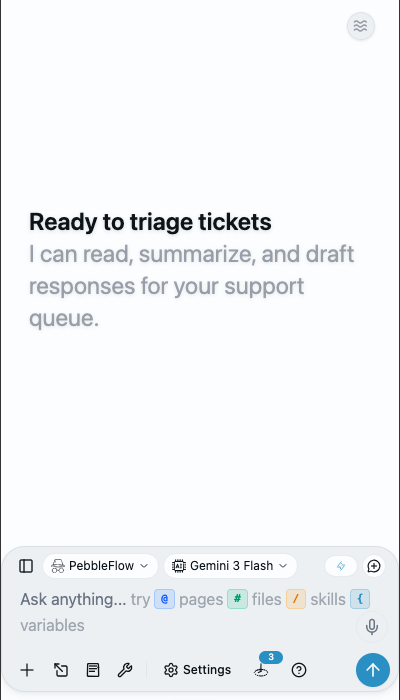
- Open caiioo (browser extension, desktop app, or phone)
- Sign in with Google, Apple, or email
- Pick an AI model — either bring your own API key for 500+ models via OpenRouter, Anthropic, Google, OpenAI, Poe, or Ollama, or start immediately with our free provisioned key
- Type a message and press Enter
- The AI responds and can use tools (like web search, file reading, or calendar access) automatically
That's it. caiioo handles all the AI orchestration behind the scenes.
The Settings Panel
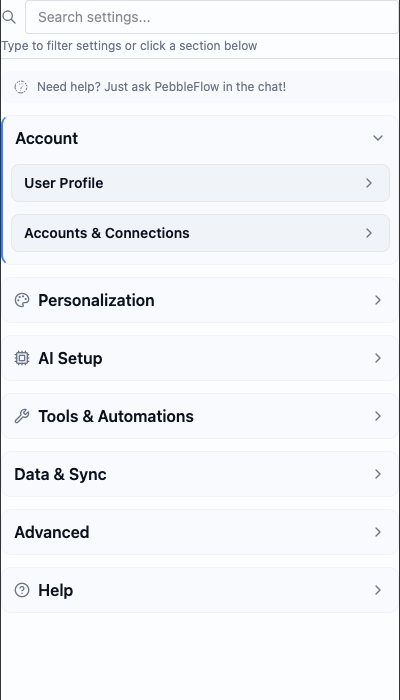
Click the gear icon to customize things. Here's what you'll find:
| Section | What's Here |
|---|---|
| Profile | Your name, email, and custom variables |
| Appearance | Dark mode, light mode, font size, theme colors |
| AI Provider | Add your API keys for OpenRouter, Anthropic, Google, OpenAI, Poe, or Ollama |
| Model Config | Set your default AI model and response style |
| Mode Settings | Customize the current mode's behavior |
| Tools | Enable/disable features like web browsing or image generation |
| Google Integration | Connect Gmail, Drive, Docs, and Calendar (Pro tier) |
| Skills | Create and manage your reusable prompts |
| Private Sync | Turn on encrypted backup to Google Drive |
| Help & Legal | This guide, privacy policy, and terms |
Tip: You don't need to dive into all these settings right away. caiioo comes pre-configured with sensible defaults. Customize as you go.
This guide is maintained by the caiioo team using Slate, our built-in editor.